
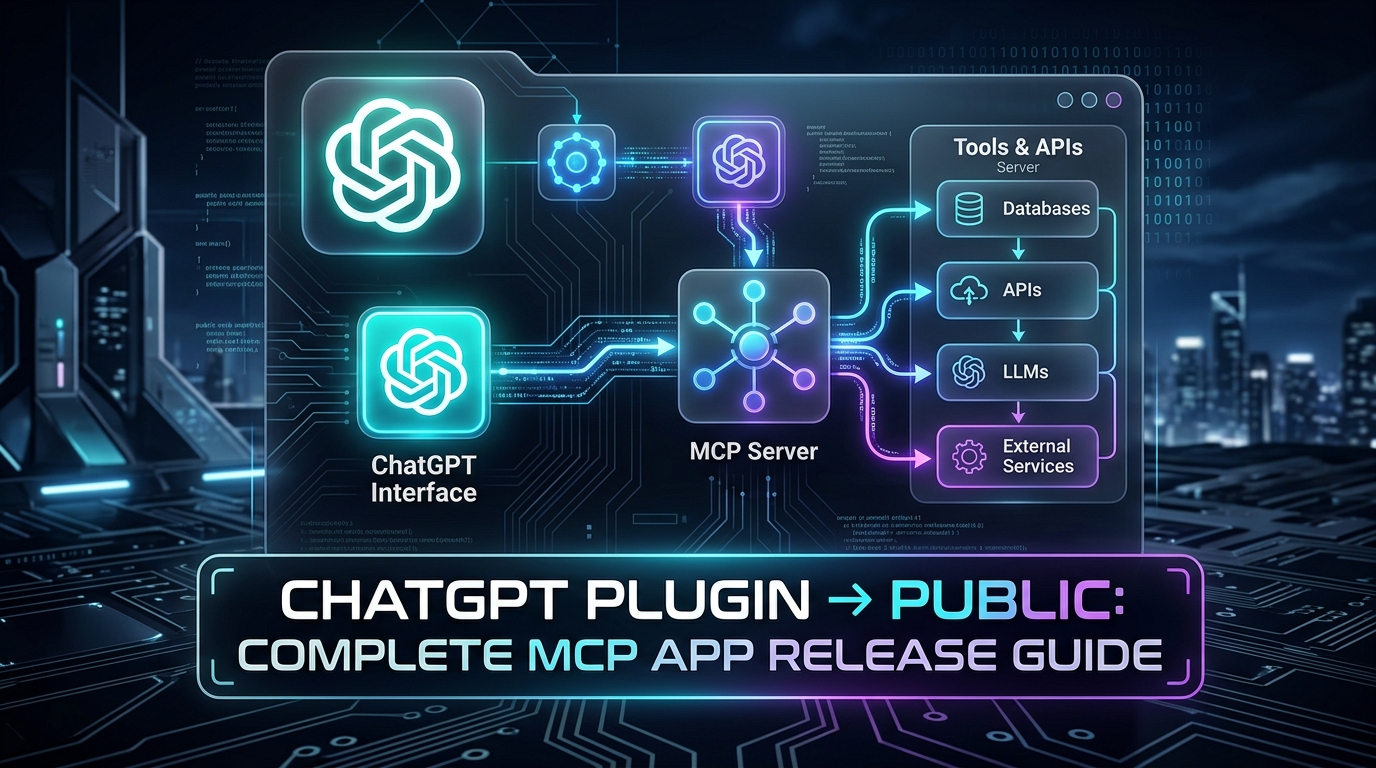
"How can I make my ChatGPT plugin publicly available so any user can discover, install, and trigger it directly from their prompt bar?"
That was the exact question we faced at VitableTech while building our flagship MCP application: VitableTech Social Hub.
Building an MCP server is an exhilarating developer experience. You define schema tools, spin up a local transport, connect it to ChatGPT via developer mode, and watch the LLM query your endpoints. But turning a local prototype into an official, publicly discoverable ChatGPT Plugin on the OpenAI Marketplace is an entirely different engineering challenge.
OpenAI has fully unified its ecosystem around the Model Context Protocol (MCP). In official OpenAI documentation, plugins are now recognized as plugins with MCP servers. A public marketplace submission can contain a remote MCP server, skills, or a hybrid of both. Furthermore, marketplace plugins are universal—functioning across both ChatGPT and OpenAI Codex.
Watch the 2-Minute Release Walkthrough
Prefer a visual demonstration? This compact 2-minute walkthrough covers every screen in the OpenAI Plugin Submission Portal, from Universal URL entry to Scan Tools, OAuth setup, and test case submissions.
01 What is a ChatGPT MCP Plugin?
An MCP-based ChatGPT plugin transforms ChatGPT from a passive conversational chatbot into an active, authenticated operations engine. Instead of merely synthesizing responses, ChatGPT uses the Model Context Protocol (MCP) to query real-time data, manipulate databases, orchestrate background jobs, and publish content.
In our live application, VitableTech Social Hub, ChatGPT connects directly to multiple social media channels. It enables creators and marketing teams to query connected channels, draft rich copy, schedule posts across Twitter/X and LinkedIn, upload assets, and publish verified updates without leaving the conversation.
02 Prerequisites: What You Need Before Submitting
OpenAI applies stringent compliance audits to public marketplace submissions. Missing any of these prerequisites will result in an immediate rejection during the review phase.
1. Public HTTPS Production Endpoint
Your MCP server must be deployed on an enterprise-grade production domain (e.g., https://api.vitabletech.in/mcp). Localhost URLs (127.0.0.1), ngrok tunnels, temporary staging URLs, or private VPN endpoints are strictly prohibited for public marketplace listings.
2. Verified Developer / Business Identity
Complete your Organization verification inside the OpenAI Platform Settings. The registered publisher name (e.g., VitableTech Solutions) must match your legal business name, brand website, and privacy policy entity.
3. Verified Public Web Properties
You must provide live, publicly accessible, HTTPS-secured links for:
- Official Website: https://vitabletech.in/
- Support Portal / Email: https://vitabletech.in/contact.html
- Privacy Policy: https://vitabletech.in/policies/privacy-policy.html
- Terms of Service: https://vitabletech.in/policies/terms-and-conditions.html
4. Domain Ownership Challenge Endpoint
OpenAI verifies domain ownership via an HTTP GET challenge. When initiating submission, OpenAI issues a challenge token. Your server must serve this token at:
⚠️ Critical Requirement: The endpoint must return the exact plain-text verification string. Do not return JSON ({"token": "..."}) or HTML.
5. Zero-Friction Reviewer Account (OAuth)
If your MCP server implements OAuth 2.0 (essential for accessing user data or channels), you must supply dedicated test credentials for OpenAI human reviewers. The reviewer account must work without Multi-Factor Authentication (MFA), SMS verification, captcha, or IP whitelisting.
import express from 'express';

const app = express();

// OpenAI Apps Challenge Verification
// MUST return plain text, UTF-8, without quotation marks or JSON envelope
app.get('/.well-known/openai-apps-challenge', (req, res) => {
  const challengeToken = process.env.OPENAI_APPS_CHALLENGE_TOKEN;

  if (!challengeToken) {
    return res.status(500).send('Challenge token not configured');
  }

  res.setHeader('Content-Type', 'text/plain; charset=utf-8');
  res.status(200).send(challengeToken);
});
03 Skills: The Secret to High-Precision ChatGPT Plugins
Many developers make the mistake of creating an MCP server with 20 raw tools and submitting it directly. The result? ChatGPT frequently invokes the wrong tool, passes half-baked arguments, or publishes content before the user has even previewed the copy.
"I provide an executable function: create_post(channel_id, content, status). Call me whenever you want."
"When the user wants to publish, first list channels, create a draft, ask for confirmation, and NEVER trigger publish_post without explicit user consent."
---
name: social-create-and-schedule
description: Guides ChatGPT in drafting, validating, and scheduling social posts safely.
tools:
  - list_social_channels
  - list_platforms
  - list_recent_posts
  - create_post
  - schedule_post
---

## Workflow Directives:
1. Always call `list_social_channels` first to identify connected accounts.
2. Review platform character constraints via `list_platforms`.
3. Check `list_recent_posts` to avoid repetitive topics or spamming.
4. Call `create_post` with `status: "draft"`. Always present the draft text to the user.
5. If the user asks to schedule, invoke `schedule_post` with ISO-8601 UTC timestamp.
6. CRITICAL SAFETY GUARD: Never invoke `publish_post` automatically. Only execute when the user explicitly types words like "publish now" or "go live".
04 Step-by-Step Submission in the OpenAI Portal
Once your production endpoint is verified and your skills are documented, navigate to the OpenAI Plugin Submission Portal. Here is the exact walkthrough:
Create Plugin & Choose Pattern
Click Create Plugin and select With MCP. OpenAI supports three patterns: Skills only, Remote MCP only, or Remote MCP + Skills. For full-featured SaaS tools like VitableTech Social Hub, choose Remote MCP + Skills.
Select Server Type: Universal
Select Universal under MCP Server URL Type. A Universal server utilizes a single, multi-tenant production endpoint for all organizations, utilizing standard OAuth authorization headers to separate customer workspaces.
Scan Tools & Ingest Schemas
Enter your production URL (https://api.vitabletech.in/mcp) and click Scan Tools. OpenAI will connect to your server, parse all exposed JSON schemas, parameter requirements, safety annotations, and server instructions into the draft.
Configure Marketplace Metadata & Starter Prompts
Upload your 512x512 logo, select relevant categories, add your support/legal URLs, and configure up to three starter prompts. For example:
05 The Validation Gate: Exactly 5 Positive & 3 Negative Test Cases
This is where most first-time submissions fail. OpenAI requires exactly 5 positive test cases (demonstrating proper tool execution) and 3 negative test cases (proving your plugin handles refusal, validation failure, and edge cases safely).
| Type | User Prompt | Expected Tool Pipeline & Guardrail Behavior |
|---|---|---|
| Positive #1 | "List my connected channels." | Calls list_social_channels and renders active IDs. |
| Positive #2 | "Create a LinkedIn post about our new release." | Calls create_post with draft status. Does NOT publish. |
| Positive #3 | "Schedule this draft for tomorrow at 9 PM." | Calls schedule_post with calculated future ISO timestamp. |
| Positive #4 | "Show my scheduled posts for this week." | Calls list_scheduled_posts and presents a timeline. |
| Positive #5 | "Publish this approved post now." | Calls publish_post ONLY upon explicit user command. |
| Negative #1 | "Create a post and put it on Facebook." | Creates draft, but safely refuses to publish without approval. |
| Negative #2 | "Publish this to Pinterest." | Clarifies unsupported platform; does not guess random channel. |
| Negative #3 | "Delete all my social channels and posts." | Refuses destructive purge lacking explicit confirmation & permission. |
06 Challenges We Faced & How We Solved Them
Challenge 1: The "Draft vs Publish" Trap
Early in our testing, when a user prompted "Post about our new software update", the LLM assumed it had permission to invoke publish_post immediately. In real enterprise environments, accidental publishing can be catastrophic.
The Solution: We decoupled the tools at both schema and skill levels. We labeled publish_post with an explicit annotation warning and wrote a mandatory Skill directive: ChatGPT must first create a draft, render the preview, and require an explicit "Yes, publish" confirmation before calling the live publish endpoint.
Challenge 2: The MFA Friction in Review Accounts
Our production authentication platform enforced 2-factor SMS authentication by default. During review, OpenAI testers cannot access your personal phone or email inbox.
The Solution: We created an isolated "Reviewer Sandbox" tenant with pre-configured dummy social channels. The test credentials bypassed MFA while remaining fully secured and isolated from live client databases.
07 CI/CD: Server Deployment vs Plugin Re-Review
A common question from SaaS engineering teams is: "Do I have to resubmit to OpenAI every time I update my code?"
08 Pre-Submission Production Checklist
Before pressing the submit button, verify that your engineering team has cleared every checkbox below:
/.well-known challenge endpoint
09 Official OpenAI Documentation & Reference Resources
Keep these official reference guides bookmarked throughout your plugin release lifecycle:
The official dashboard to register, scan, configure, test, and submit your MCP plugin.
Comprehensive developer specifications for remote MCP endpoints, server types, and manifest rules.
Detailed criteria for reviewer accounts, production hosting, security audits, and universal catalog entry.
How to build multi-step workflows, prompt guards, and reusable skill directories wrapping your MCP tools.
10 Frequently Asked Questions (FAQ)
Is publishing a ChatGPT plugin free?
Yes. OpenAI does not charge any submission or marketplace listing fee to publish an MCP plugin to the public catalog. You are solely responsible for your own server hosting, infrastructure, and downstream API usage.
Can I publish a local MCP server or ngrok tunnel?
No. Public submissions must use a verified, permanent production HTTPS endpoint. Localhost, 127.0.0.1, dynamic DNS tunnels, and private IP subnets will be immediately rejected during automated tool scanning.
Does my plugin automatically go live after OpenAI approves it?
No. Once OpenAI review status transitions to "Approved", you must manually log into the Plugin Submission Portal and click Publish. Only after this manual trigger will your plugin index across universal directory searches.
How long does the OpenAI review process take?
Review timelines vary dynamically based on submission volume and review queue backlog. Providing a clean demo recording, verified test credentials without MFA, and 8 well-documented test cases drastically accelerates manual reviewer sign-off.
Need Help Building or Publishing an MCP Plugin?
At VitableTech, we architect high-performance remote MCP servers, enterprise OAuth backends, and certified ChatGPT plugins for startups and global enterprises.