
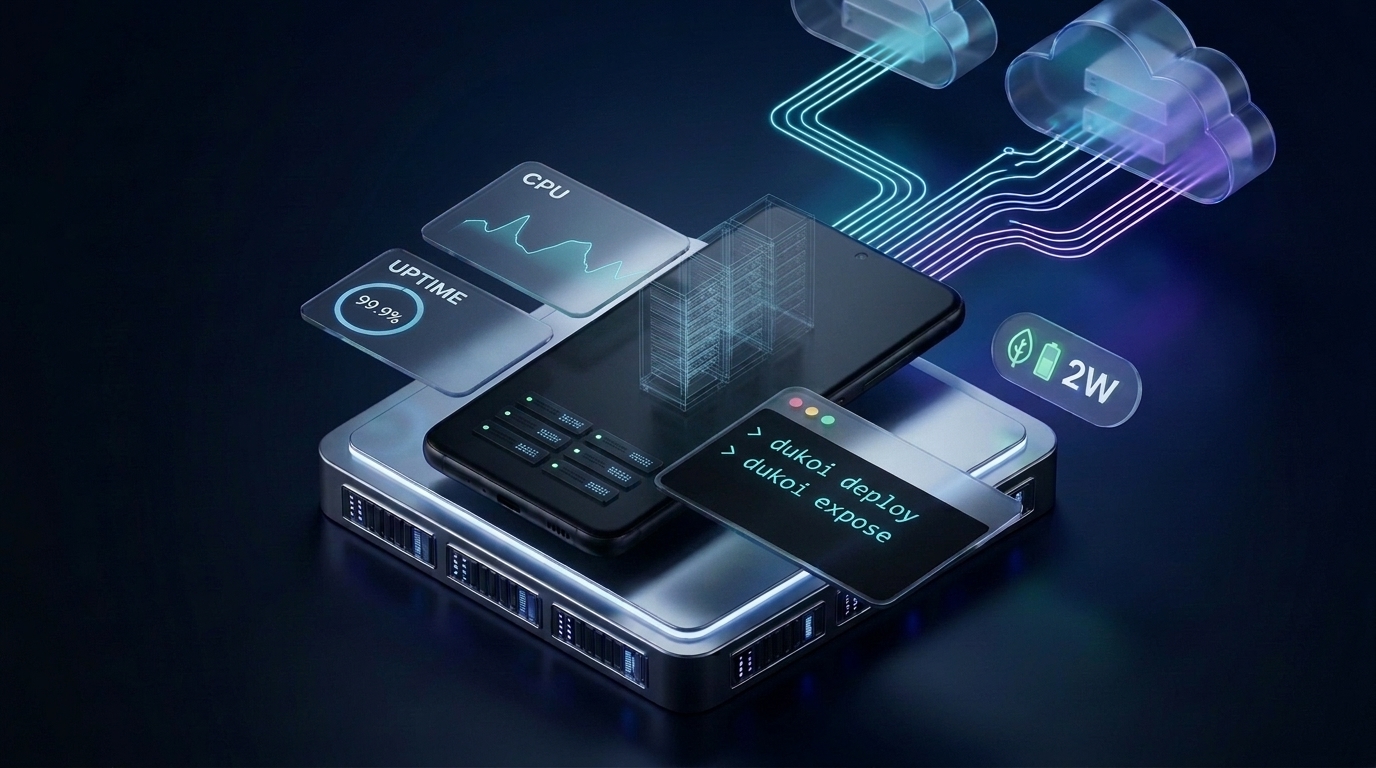
You Already Own a Supercomputer in Your Desk Drawer
Chances are, you have a 3-to-4-year-old Android phone lying in a drawer. It still has an 8-core 64-bit ARM processor, 6GB or 8GB of fast LPDDR4X RAM, 128GB of high-speed UFS flash storage, and an integrated lithium-ion battery. In cloud computing terms, that hardware configuration easily costs $15 to $30 every month on AWS or DigitalOcean.
Yet whenever developers want to run a personal webhook receiver, a Telegram bot, a staging API, or an automated scraper, they either pull out a credit card for a cloud VPS or scramble to find an overpriced Raspberry Pi.
Why didn't we just run our servers on old Android phones before? Because Android wasn't designed to be a server OS. Aggressive OEM memory killers (MIUI, OneUI, ColorOS) routinely slaughter background processes to preserve battery, Termux requires cumbersome Linux proot setups, and rooting an old device is risky and fragile.
That is exactly the bottleneck solved by Dukoi (dukoi.com) — an open-source tool created by independent developer Sanju (thisuxhq/dukoi) that gives your spare Android phone a Vercel-like, single-command deployment experience.
1. The 4 Secret Superpowers of an Android Phone Server
Before looking at code, let's understand why a retired smartphone is secretly superior to a dedicated mini PC or single-board computer:
Built-in Battery UPS
If your home loses power or trips a breaker, an ordinary server or Raspberry Pi instantly crashes and risks filesystem corruption. A smartphone keeps running uninterrupted for 10 to 20 hours on internal battery reserves.
2 to 5 Watts Power Draw
A typical desktop PC uses 60W to 150W idling. A home lab server draws 30W. A phone running an ARM64 server draws less than 3 Watts on average, costing literally pennies a year on electricity.
Dual Connectivity (Wi-Fi + 4G)
Smartphones bundle Wi-Fi 5/6 and optional 4G LTE cellular data. You can configure failover mobile data so critical alert bots never drop offline even if home fiber is severed.
Zero Decibels & Pocket Sized
Completely fanless, silent passive cooling. It fits inside a small drawer or rests beside your router with zero cable clutter or heat exhaust.
2. Why Dukoi Wins: The Problem with Termux & Rooting
Tinkerers have historically attempted to use Termux or custom ROMs to run servers on Android. Here is why those approaches quickly fell apart in production:
| Feature | Traditional Termux Setup | Dukoi Experience |
|---|---|---|
| Root Required? | Often needed for ports < 1024 or wake locks | Zero Root Required |
| Deployment Method | Manual git clone, SSH keys, typing on glass | dukoi deploy (from laptop) |
| OS App Killers (Doze) | Randomly killed after screen turns off | Foreground Service + Watchdog |
| Public HTTPS Access | Manual Ngrok / router port-forwarding | dukoi expose (Cloudflare Tunnel) |
| Reboot Recovery | Manual restart via Termux:Boot script | Automatic service recovery on boot |
3. Step-by-Step: Setting Up Your Android Server in 5 Minutes
To get started, all you need is a phone running Android 10 or newer (arm64) and your developer computer connected to the same Wi-Fi network:
Download the Dukoi Android APK
Visit dukoi.com or grab the latest release APK directly from GitHub (thisuxhq/dukoi/releases). Install it on your spare phone.
Pass the Guided "Keep-Alive" Checklist
When you open the app, Dukoi walks you through manufacturer-specific settings (MIUI, OneUI, ColorOS, Pixel) to prevent Android from putting the app to sleep:
- Battery Optimization: Set Dukoi to "Unrestricted" / "Do Not Optimize".
- Auto-Start: Enable auto-launch so the server restarts after phone reboots.
- Lock in Recents: Pin the Dukoi card in your Android task switcher so it is never cleared.
Install the Dukoi CLI on Your Workstation
On your Mac, Linux, or Windows dev machine, install the Dukoi CLI binary:
curl -fsSL https://dukoi.com/install.sh | sh
Pair Your Computer with the Phone
Open the Dukoi app on your phone to view your pairing code. Then on your workstation terminal:
Scanning local network for Dukoi Android instances...
✓ Found "Pixel-4a" on 192.168.1.45
Enter 6-digit pairing code: 839201
✓ Successfully paired and encrypted!
Deploy Your Code in One Command
Navigate to any Node.js, Python, or Go project directory on your laptop and run:
Packaging app bundle (14.2 MB)...
Transferring to Pixel-4a over Wi-Fi...
Extracting and starting process...
✓ App live at: http://192.168.1.45:3000
4. Free Public HTTPS: Bypassing CGNAT with `dukoi expose`
One of the most painful aspects of running a server at home is dealing with CGNAT (Carrier-Grade NAT). Most residential ISPs and mobile hotspots do not give you a public IPv4 address, rendering traditional port-forwarding impossible.
Dukoi solves this with zero configuration by bundling Cloudflare Tunnels:
Instant Public Internet Access
✓ Public HTTPS URL: https://sparkling-brook-41.dukoi.live
Now any external service—like a Stripe webhook, a GitHub push event, or your mobile app—can reach your old Android phone from anywhere in the world securely over SSL/TLS.
5. Battery Longevity 101: Preventing Swollen Batteries
Leaving a lithium-ion smartphone plugged into a wall charger at 100% state-of-charge 24 hours a day, 365 days a year can lead to battery degradation and potentially battery swelling (the dreaded "pillow phone").
Here is how to run your Android server safely for years without degrading the battery:
Dukoi Battery Guard (80% Cap)
Many modern Android phones (Samsung Protect Battery, Sony Battery Care, Pixel Adaptive Charging) support capping charge limits at 80%. Dukoi incorporates alert thresholds to prevent overcharging.
The $8 Smart Plug Automation Trick
Plug your phone's charger into a cheap Tuya, Sonoff, or Home Assistant smart plug. Use a webhook to turn the plug OFF when the battery reaches 80%, and turn it ON when it drops to 20%. Your battery will cycle naturally and last indefinitely.
Remove the Phone Case
Always strip off thick silicone or leather cases. Exposing the back glass or aluminum body allows passive ambient heat dissipation while the CPU is processing background loads.
6. What Can You Actually Run on Your Android Server?
With 6GB+ of RAM and an 8-core ARM64 chip, your phone can handle an astonishing variety of daily workloads:
Telegram & Discord Bots
Node.js or Python bots running 24/7 with zero cloud hosting bills.
Valkey & PGlite
Lightweight embedded Redis cache and PostgreSQL databases on device.
Webhook Catchers
Receive Stripe, Razorpay, or GitHub webhooks with instant Cloudflare URLs.
Frequently Asked Questions (FAQ)
Does Dukoi cost money or is it free and open source?
Dukoi is open-source software hosted on GitHub under thisuxhq/dukoi. It is free to download and use on your own hardware without subscriptions or paywalls.
Can I deploy Docker containers with Dukoi?
Native Docker requires Linux kernel cgroups and namespace support, which standard unrooted Android kernels restrict. Dukoi bypasses this by executing compiled application binaries (Node.js, Go, Python) and embedded wasm databases directly in user space, achieving near-native execution speed without Docker overhead.
What happens if my phone restarts or updates?
Provided you granted auto-start permissions during initial setup, Dukoi automatically boots up its background foreground daemon and relaunches your deployed services as soon as the Android operating system completes its boot cycle.
Related Guides on VitableTech:
Need Enterprise Edge & Cloud Architecture?
Whether you are building edge IoT microservices, low-power server fleets, or scaling cloud infrastructure across AWS and Cloudflare, VitableTech engineers resilient, cost-optimized architectures.
Discuss Cloud & DevOps with VitableTech