If you've ever built a background cron service or a daemon application that queries Facebook Page insights, posts to Instagram automatically, or manages Catalog feeds, you have likely run into the dreaded **Token Expiration** wall.
By default, Facebook user access tokens expire after a few hours, and even "long-lived" tokens expire after 60 days. In the past, developers had to write complex token-refresh cron jobs, implement client-secret integrations, or store keys in secure cloud vaults like Azure Key Vault to prevent their background daemons from breaking.
Fortunately, there is a much simpler, production-ready solution: **Meta System Users**. By generating a system-user-scoped token, you can request a token that Never Expires, allowing you to run your internal scripts via basic environment variables without any third-party vault or complex refresh logic.
The Solution at a Glance
Instead of checking user logins and rotating refresh tokens via OAuth, you create a Meta System User in Facebook Business Suite, grant it asset access permissions, and generate a token with a 'Never' expiration date. You save this token in your backend .env file, and you're set.
To create a system user, you need Admin access to the Meta Business Portfolio. This user acts as a programmatic daemon, decoupling the API access from any physical employee account.
admin), select the Admin System User role, and click save.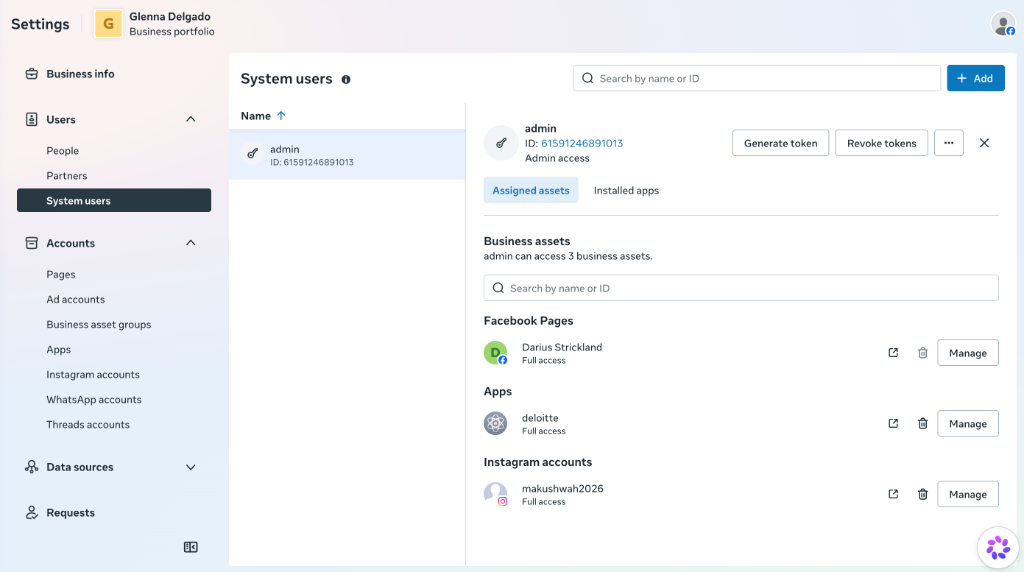
System Users management dashboard showing assigned Pages, Apps, and Instagram Accounts.
Once your assets are assigned, you can generate the credentials:
deloitte or bpcl-india) to link with the credentials.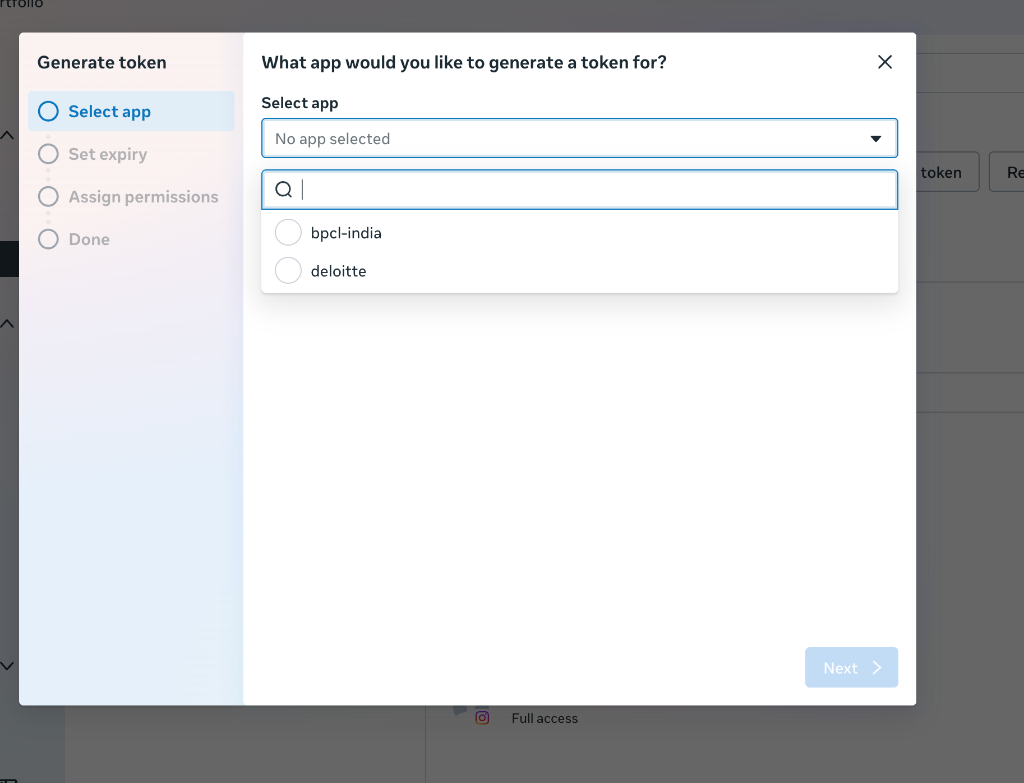
Selecting the target application for token generation.
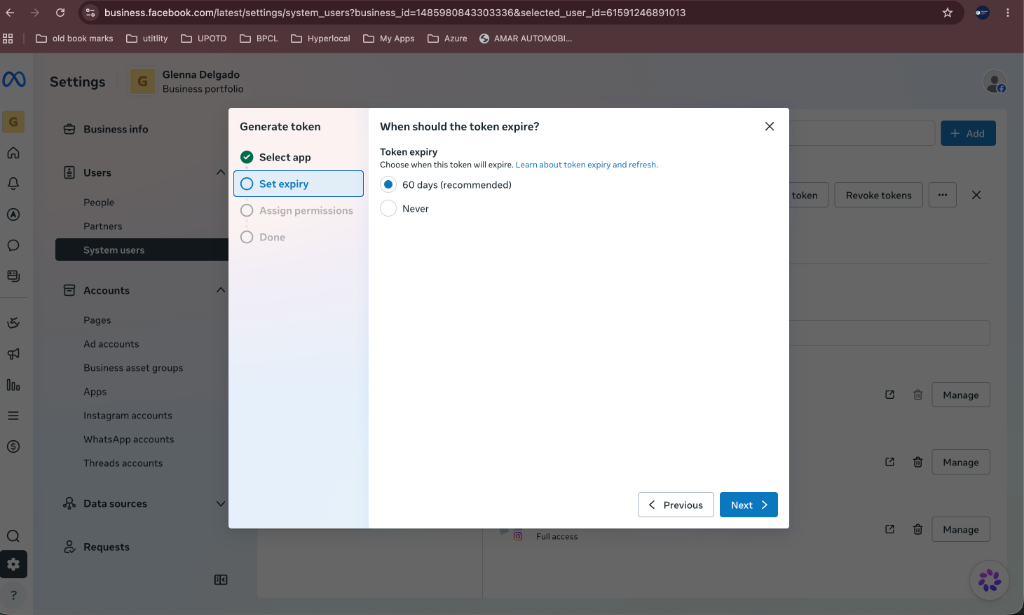
This is the most critical step to prevent token expiration warnings and failures:
Selecting 'Never' to generate a permanent access token.
Select the specific permissions required for your app (e.g. instagram_basic, ads_read, business_management) and click **Next** to generate and copy your final token secure key.
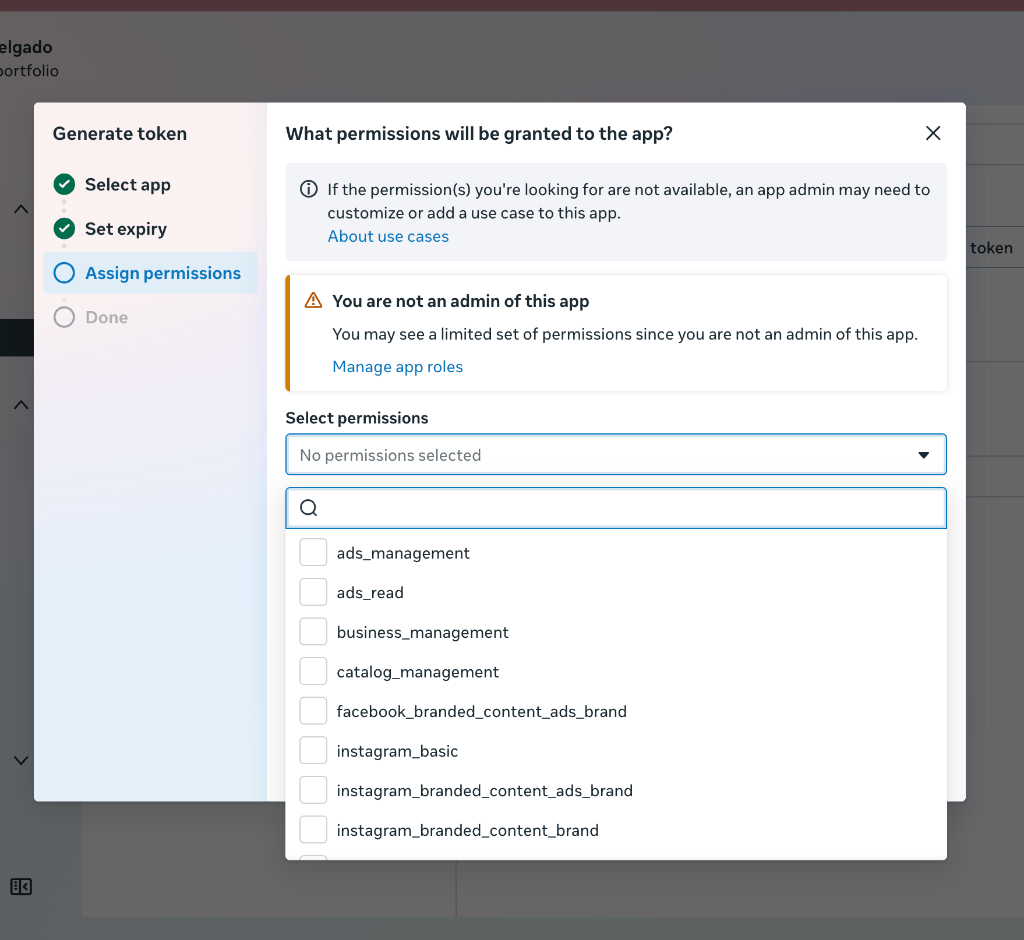
Selecting the specific Graph API permission scopes.
.env file is sufficient.To learn more about Meta's token architecture, read the official developer specifications and guides:
Yes. If your server environment is compromised or your token is leaked, you can revoke it instantly by clicking the Revoke tokens button in the System Users console next to the corresponding user account.
No. By setting the expiry to "Never", the generated access token acts as a permanent API key. There is no refresh token returned because none is required.
VitableTech engineers custom API workflows, automated backend daemons, and system integrations. Leverage our open-source tools to streamline your production environments.
Contact VitableTech Today