It was a Tuesday morning when the monthly invoice arrived in our inbox: $380 for our newsletter and email marketing tool.
We did a quick calculation. Our app had reached about 48,000 registered subscribers. We were sending one product update every two weeks and occasional release notes. We were not running complex multi-stage behavioral funnels; we were just talking to our users.
Yet our email provider was charging us top-tier rates simply for storing contact records. It did not matter whether those contacts opened the email, whether they had churned six months ago, or whether we sent two emails a month. You cross an arbitrary subscriber milestone, and your bill doubles automatically.
As software engineers, that felt completely backwards. Storing 50,000 text rows in PostgreSQL consumes roughly 15 megabytes of disk space. Blasting 50,000 emails over Amazon SES or Postmark costs roughly $5.00 in raw infrastructure bandwidth. Where was the rest of that $375 going every single month?
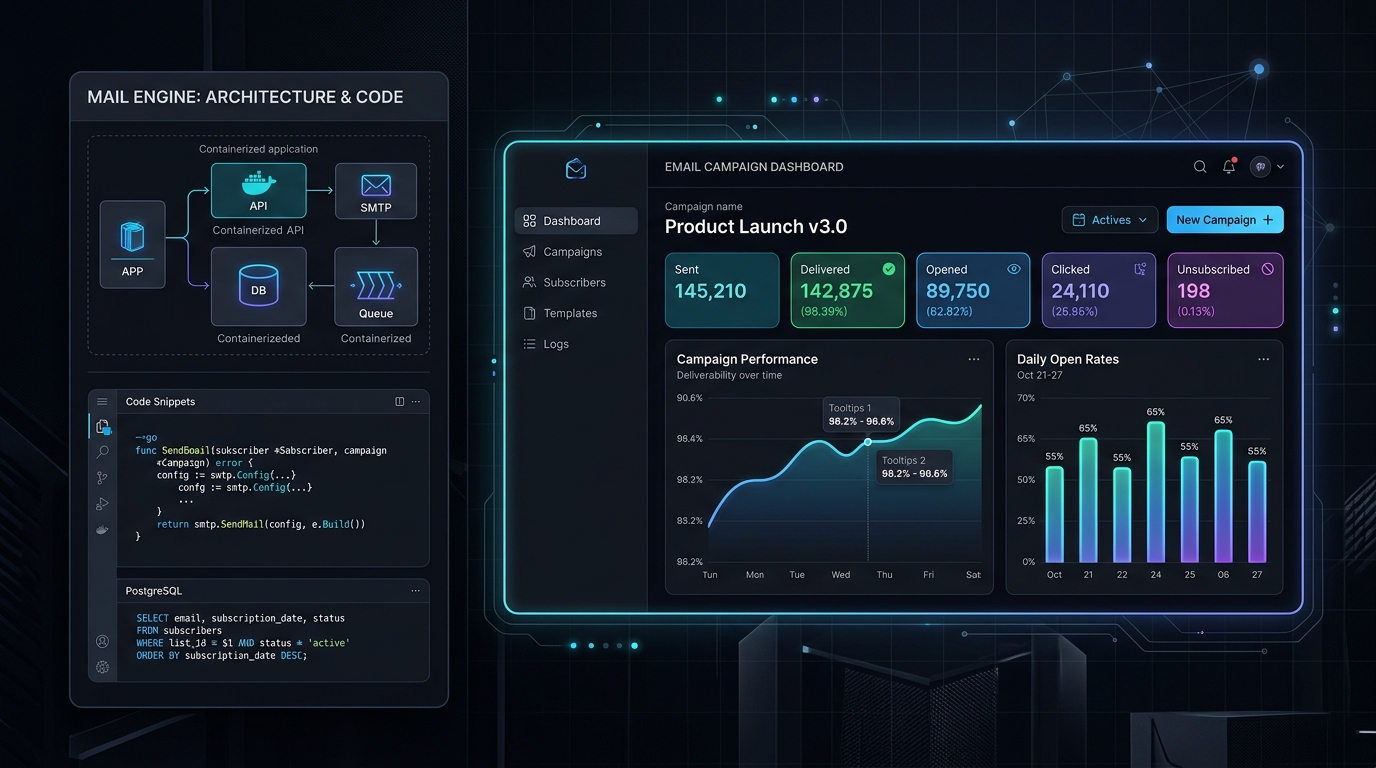
That realization led us to Listmonk, an open-source, high-performance newsletter and mailing list manager. Within a single weekend, we migrated our lists, connected our mail servers, wrote custom webhook integrations, and slashed our monthly email expenditure down to less than the price of a takeout coffee.
Here is the full story of how we set it up, how it performs under real load, and how you can hack and extend it to fit your exact product requirements.
Listmonk was created by Kailash Nadh (CTO of Zerodha, India's largest retail brokerage) and is maintained by an active open-source community. Zerodha needed to dispatch millions of trade notifications, statements, and security announcements without paying six figures in SaaS fees. The result is a tool built with raw performance and simplicity in mind.
Single compiled binary in Go. Consumes barely 25MB of idle RAM. It easily pushes 1,500 to 2,000 emails per second using Go's lightweight concurrency model.
Zero esoteric databases or proprietary storage engines. Everything lives in clean Postgres tables with JSONB support for arbitrary subscriber metadata.
Have 10,000 subscribers or 2,000,000 subscribers? Your cost is identical: just your server hosting and your raw SMTP transmission fees.
Clean REST APIs, support for custom non-email messengers (Telegram, WhatsApp, Webhooks), and direct database accessibility for custom workflows.
Deploying Listmonk takes fewer than 10 minutes. All you need is Docker, a small virtual server (even a $4-$6/mo Hetzner or DigitalOcean droplet will handle hundreds of thousands of emails), and a domain name.
Here is the exact production Docker Compose configuration we started with:
version: '3.8'

services:
  db:
    image: postgres:16-alpine
    container_name: listmonk_db
    restart: unless-stopped
    environment:
      POSTGRES_USER: listmonk
      POSTGRES_PASSWORD: your_secure_db_password_here
      POSTGRES_DB: listmonk
    volumes:
      - listmonk_pgdata:/var/lib/postgresql/data
    healthcheck:
      test: ["CMD-SHELL", "pg_isready -U listmonk"]
      interval: 5s
      timeout: 5s
      retries: 5

  app:
    image: listmonk/listmonk:latest
    container_name: listmonk_app
    restart: unless-stopped
    ports:
      - "127.0.0.1:9000:9000"
    environment:
      - LISTMONK_db__user=listmonk
      - LISTMONK_db__password=your_secure_db_password_here
      - LISTMONK_db__database=listmonk
      - LISTMONK_db__host=db
      - LISTMONK_db__port=5432
      - LISTMONK_app__admin_username=admin
      - LISTMONK_app__admin_password=choose_a_strong_admin_password
    depends_on:
      db:
        condition: service_healthy
    volumes:
      - ./uploads:/listmonk/uploads

volumes:
  listmonk_pgdata:
Before launching the service for the first time, you run the database setup flag to let Listmonk create its tables and schema migrations:
# Run database migrations and bootstrap schema
docker compose run --rm app ./listmonk --install --idempotent

# Start your containers in detached mode
docker compose up -d
Point your Nginx, Caddy, or Traefik reverse proxy at port 9000 with an SSL certificate, and you have a secure, ultra-fast newsletter management dashboard up and running.
Listmonk does not deliver emails over port 25 directly from your VPS (which would quickly land you in spam folders). Instead, it connects to any SMTP relay or HTTP API service you prefer. We plugged in Amazon SES, but you can use Postmark, Resend, Mailgun, Brevo, or your company's internal mail servers.
Amazon SES pricing is $0.10 for every 1,000 emails sent. Setting up SPF, DKIM, and DMARC records on our DNS took 15 minutes. Once verified, we pasted the SMTP credentials into Listmonk's Settings UI.
We tested sending a test campaign to 5,000 subscribers. On our old SaaS provider, sending 5,000 emails took anywhere from 15 to 30 minutes due to shared-queue throttling. Listmonk cleared the entire 5,000 batch in under 12 seconds.
Here is where open source completely runs circles around commercial platforms. With a closed SaaS tool, if you need a feature that does not exist, you file a feature request on a community forum and wait three years. With Listmonk, the code and database belong to you.
Here are four custom ways we modified and extended Listmonk to power our internal workflow:
Most people think Listmonk only sends emails. That is not true. Listmonk includes a generic Messenger engine. A messenger is an abstraction that takes a subscriber list and sends messages to any endpoint over HTTP.
We wanted to send critical server release notifications to a private Telegram channel and WhatsApp broadcast group whenever we pushed a breaking API update. In Listmonk, you can define a custom HTTP Messenger right inside the settings:
{
  "chat_id": "{{ .Subscriber.Attribs.telegram_chat_id }}",
  "text": "*{{ .Campaign.Subject }}*\n\n{{ .Campaign.Body }}",
  "parse_mode": "Markdown"
}
Now, when we create a campaign, we can target our email list or select our custom Telegram messenger. One dashboard handles both email and chat communications without juggling three disconnected notification platforms.
With tools like Mailchimp or ConvertKit, keeping subscriber lists in sync with your production user table is notoriously annoying. You either write webhooks on user signup, pay for third-party sync apps, or run nightly batch scripts that query their rate-limited REST APIs.
Because Listmonk runs on plain PostgreSQL, you have direct database access. If your main application runs on PostgreSQL, you can use postgres_fdw (Foreign Data Wrapper) to link tables, or your user registration service can write straight to the subscribers table:
-- Automatically subscribe new users directly with rich metadata
INSERT INTO subscribers (email, name, status, attribs)
VALUES (
    'developer@example.com',
    'Alex Rivera',
    'enabled',
    '{"plan": "pro", "joined_at": "2026-10-01", "role": "engineering_lead"}'::jsonb
)
ON CONFLICT (email)
DO UPDATE SET attribs = subscribers.attribs || EXCLUDED.attribs;

-- Link to the "Product Announcements" list (List ID: 3)
INSERT INTO subscriber_lists (subscriber_id, list_id, status)
SELECT id, 3, 'confirmed' FROM subscribers WHERE email = 'developer@example.com'
ON CONFLICT DO NOTHING;
Notice that attribs column? It is a native Postgres JSONB field. You can store anything you want without creating migrations: user roles, tier levels, favorite programming languages, or onboarding completion percentages. When building custom email segments in Listmonk, you can query these JSON fields directly using SQL expressions.
In addition to newsletters, Listmonk has a dedicated transactional email endpoint (/api/tx). You design your templates in the web dashboard using Go's fast templating engine, and trigger them from your application backend with a single POST request:
async function sendWelcomeEmail(userEmail, userName, verificationLink) {
  const response = await fetch('https://newsletter.yourdomain.com/api/tx', {
    method: 'POST',
    headers: {
      'Content-Type': 'application/json',
      'Authorization': 'token your_listmonk_api_key'
    },
    body: JSON.stringify({
      subscriber_email: userEmail,
      template_id: 2, // ID of your template in Listmonk
      data: {
        name: userName,
        verification_url: verificationLink,
        expires_in: "24 hours"
      },
      content_type: 'html'
    })
  });

  return response.json();
}
Instead of maintaining separate accounts for marketing newsletters and transactional emails, everything runs through one centralized system with unified bounce logs and analytics.
The only major feature Listmonk does not have built-in is a visual drag-and-drop automation builder (e.g., "Wait 3 days, then send email B"). However, because Listmonk has a clean REST API and direct DB access, you do not need a bloated workflow engine.
We wrote a lightweight worker script (fewer than 60 lines of code) that runs daily on a cron. The script queries users who signed up 3 days ago and have not completed their profile, tags them, and pushes them into an onboarding campaign list. It gives us total control without paying extra for "Marketing Automation" tier upgrades.
Let's look at the actual math for a growing tech product with 50,000 subscribers sending 4 emails per month (200,000 total emails):
| Platform | Contact Storage Cost | Monthly Sending Cost | Total Monthly Bill | Yearly Cost |
|---|---|---|---|---|
| Mailchimp (Standard Plan) | Included in tier | Capped limits | $385.00 | $4,620.00 |
| ConvertKit / Kit (Creator) | Included in tier | Standard sending | $379.00 | $4,548.00 |
| SendGrid Marketing Campaigns | Based on contacts | 200k emails | $225.00 | $2,700.00 |
| Listmonk + AWS SES | $5.00 (VPS hosting) | $20.00 (200k @ $0.10/k) | $25.00 | $300.00 |
That is an immediate savings of over $4,300 per year on a single product list. For early-stage companies and bootstrapped founders, that money belongs in hiring engineers or marketing campaigns, not paying software rent.
Self-hosting your email stack gives you incredible freedom, but with that freedom comes responsibility. Here are three things you must manage yourself:
Yes. While developers configure the backend, the Listmonk web UI is clean and user-friendly. It includes a rich WYSIWYG editor, a Markdown editor, and a raw HTML mode. Content creators and marketers can draft newsletters, preview test emails, and schedule campaigns without touching any code.
Easily. Listmonk is written in Go and uses connection pooling and worker routines. Bottlenecks in email sending almost never come from Listmonk itself; they come from your upstream SMTP provider's sending rate limit. Once your Amazon SES or Postmark sending quota is increased, Listmonk will happily push thousands of messages every second.
Much more compliant than third-party SaaS tools. Because you own the database, your subscriber data never leaves your infrastructure or gets shared with ad trackers. Listmonk also features one-click unsubscribe links, subscriber data export, and full deletion tools built-in.
VitableTech engineers help startups and growing enterprises deploy secure self-hosted platforms, set up high-deliverability email pipelines, and build custom multi-channel messaging solutions.
Discuss with our Architecture Team